

The Cornell Method transforms meeting and interview notes from simple transcripts into powerful tools for clarity, analysis, and decision-making. By structuring notes into distinct sections for raw information, cues, and summaries, it helps you capture what matters and use it effectively later.
This approach, first developed by Walter Pauk, was designed to support students in organizing records from class or a campus module, revisit them efficiently, and retain information over extended periods. That foundation is still strong because it reflects how people actually process information.
Most note-taking fails for one of three reasons:
This framework addresses all three. Instead of treating every line as equally important, it divides the page into distinct zones with different jobs. One area captures the main records. Another stores cues, keywords, or queries. A final section forces you to draft a short recap.
This sounds simple, but it changes how you listen. In a university lecture, that means a student is more likely to move from passive recording to active learning, and the same is true in a campus learning hub or composition hub, where instructional staff use similar instructional routines and shared materials. In a hiring interview, it means the interviewer is more likely to notice patterns, contradictions, strengths, and risks instead of just jotting down statements.
That distinction matters. Good meeting records are not just evidence that you were present. They are a working structure for comprehension and decision-making.
Here is the basic Cornell layout:
| Section | Purpose | Typical material |
|---|---|---|
| Prompt column | Highlights what matters | Queries, keywords, themes, red flags, follow-ups |
| Notes column | Captures the main discussion | Facts, examples, quotes, decisions, context |
| Recap section | Synthesizes meaning | Main takeaway, next steps, final interpretation |
This structure improves retention because it creates layers:
That is why the approach is useful in both education and professional settings. As the originator intended, it supports memory, but it also supports judgment. Pauk also emphasized revisiting material quickly.
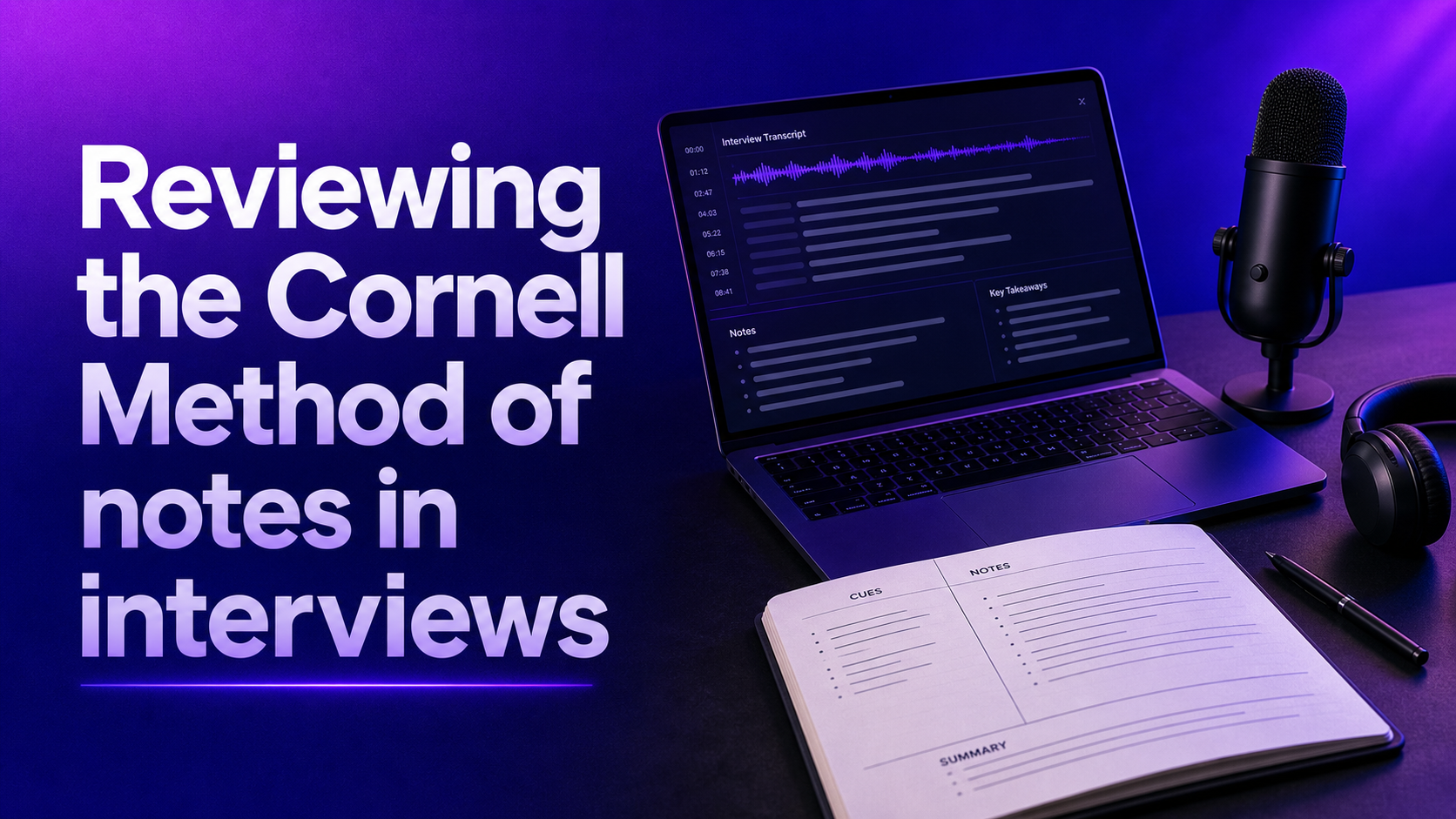
The traditional page is divided into three parts:
On paper, students often draw the lines by hand. Digitally, you can recreate the same format in a document, memo app, spreadsheet, or layout, then keep it with digital tools in a handwriting app.
A practical setup looks like this, whether you use paper, a tablet, or a tablet app:
A lot of people misuse this framework because they do not differentiate the sections enough. The page becomes organized in theory, but not in practice. An improved approach is to assign each part a specific mental job.
This column is not for repeating your records in shorter form. It is for creating retrieval cues and analytical anchors. Useful entries include:
For example, in an interview, you might jot:
This is your live capture area. Record concise phrases, not polished prose. Good records here might include:
The point is to record enough detail to support later reference without turning note-taking into transcription.
This is where these records become more than a storage setup. A useful recap should answer at least two of these:
That kind of synthesis is much more valuable than pages of raw notes with no conclusion.
The most effective way to apply this framework is to treat it as a process, not just a page format. The approach works because it guides what you do before, during, and after the conversation.
Do not wait until people are already talking. Before a meeting, lecture, or interview, label the top of the page with:
This is especially useful in recruitment, career center coaching, assessment center interviews, or other campus sessions and hiring occasions. Interview records without context often become weak evidence later because nobody remembers what the discussion was meant to assess.
If you are interviewing a candidate, pre-fill your prompt lane with criteria, required skills, scoring strategies, or comparison strategies you want to track. For example:
For a project meeting, your prompt column might include:
This gives your listening the best possible structure from the start.
During the conversation, keep your attention on substance. The Cornell Method should sharpen listening skills, not distract you. A few practical rules help:
For instance, if a candidate says, “I led the migration project and coordinated three teams,” the useful entry is not the full quote. It is something like:
“Led migration, coordinated 3 teams”
This is faster to capture and easier to read later.
Some people fill the prompt pane after the conversation. Others add cues during the meeting if they can do so without losing concentration. Both approaches are valid. In a fast-moving interview, it is often wiser to focus on the records area first, then add cues right after while the discussion is still fresh.
Turn raw records into retrieval prompts such as:
These cues are what make retrieval efficient later and sharpen analytical capabilities and interviewing abilities. They also support comparison approaches and interview tactics because they push you to identify patterns rather than react only to general impressions.
This step is where many people fail. They take pages of records and skip the summary because they are moving to the next call. That is a mistake.
A Cornell recap should take one to three minutes, but it is the part that often determines whether the records will be useful tomorrow. Draft it immediately after the meeting if possible, ideally the same session or later that afternoon. Otherwise, even strong records can feel flatter the following morning.
A strong summary is short, specific, and interpretive. It does not simply restate the discussion. It explains the significance.
Compare these two summaries:
Weak summary: “Discussed candidate background, management experience, and product work.”
Strong summary: “Candidate demonstrated solid people management and measurable execution results. Most convincing examples came from team restructuring and process improvement. Strategic product thinking appeared less developed and should be tested in the next round.”
The second version helps with decision-making. The first does not.
For students in any demanding module, or in a fast-paced clinical practicum, the format is powerful because it supports spaced reflection. For professionals, the equivalent is structured follow-up.
After the meeting, revisit your records to:
This final revisit is what turns records into a working framework for shared services teams as well.
The Cornell Method is not valuable because it is rigid. It is valuable because it is adaptable. Students can use it in school, university, or independent study. Recruiters can use it in screening calls, structured interviews, calibration meetings, and debriefs. Hiring managers can use it during panel interviews or stakeholder discussions. Candidates can even use it while preparing for interviews or taking notes during informational conversations.
For students, the method is especially useful when a lecture contains both factual content and conceptual relationships. In a demanding course, especially in healthcare or other technical programs and clinical placements, it can support a stronger mark, protect a final score, and make campus materials and digital tools easier to use.
A science student might use the notes lane for formulas, definitions, and lab examples, while the prompt pane contains likely exam questions. A humanities student in a college seminar might use the prompt column for themes or arguments, then compose a summary that explains the central interpretation.
The same pattern appears in instructional seminars, instructional workshops, and lab discussions. This is why the Cornell system has remained popular in education. It improves learning because it encourages active engagement instead of passive copying.
Interviews are one of the strongest non-classroom use cases because they produce exactly the kind of messy information that benefits from structure. It is equally useful for nursing roles, nursing interviews, technical hiring, or fast debriefs because evidence can scatter quickly.
An adapted Cornell interview page might look like this:
| Question | Notes |
|---|---|
| Leadership | Led 6 recruiters through hiring freeze, redesigned prioritization, reduced time-to-fill for critical roles |
| Data fluency | Described dashboard use clearly, tracked source quality, weak detail on experiment design |
| Culture fit? | Strong collaboration examples, values transparency, direct communication style |
| Clarify | Could not explain low retention in previous team |
| Follow-up | Ask next round about manager coaching and change management |
Summary: Strong recruiter with practical team leadership and operational discipline. Good evidence of process ownership and stakeholder communication. Some concerns remain around deeper analytical rigor and coaching depth.
This format helps an interviewer avoid two common problems: vague impressions and post-call memory gaps.
For regular meetings, the prompt lane can shift from evaluation to action and alignment. You might use cues such as:
That turns the Cornell structure into a lightweight operational system. Instead of rereading pages of meeting records, you can scan the prompt column and summary to find what matters. The same idea also works well for advising services in one-on-ones.
Yes, the Cornell Method works digitally. In fact, digital tools can make the method easier if they reduce friction and support the best habits. You can adapt it in several ways:
Many students love apps like goodnotes because they reduce setup friction, and a shared goodnotes notebook can make repeated layouts easier to maintain. Managers often value shared documents for the same reason. Team leads appreciate searchable archives, and interviewers love consistent templates.
The risk with digital note-taking is over-formatting. If creating the template takes more attention than listening, the system is not helping. A successful digital Cornell setup should be:
The format matters less than the principle: separate raw information from prompts and synthesis. Creator-style layouts remain easy to adapt.
The Cornell method offers a solid framework for capturing meeting and interview notes, pushing users to distinguish between raw data and meaningful insights. Its academic roots might feel restrictive at first, but that very structure can be a game-changer when clarity and precision are non-negotiable. Still, no single note-taking approach fits everyone perfectly. The central point is to make the method your own, keeping the parts that boost speed and comprehension while discarding what slows you down. This personalization is what transforms note-taking from a task into a strategic advantage in interviews and decision-making.
The Cornell Method is simple, but it is easy to apply poorly. Most problems come from overcomplicating the system or using it too mechanically.
If you try to put down every sentence, you will miss meaning and lose focus. This is especially harmful in interviews, where active listening matters.
Stronger approach: capture evidence, examples, and decision-relevant details instead of full dialogue.
Many people create the Cornell layout and then ignore the signal section. At that point, they are just taking divided notes. The prompt column is where the method gains analytical value. It helps you identify themes, questions, and retrieval triggers. Without it, re-reading is slower and less insightful.
A summary like “good meeting” or “strong candidate” is not useful. It gives no indication of why. A summary should force a conclusion based on evidence. Think of it as the bridge between observation and judgment.
No single note-taking system is universal. A school lecture, a weekly team meeting, and a structured interview do not require identical note categories. Adapt the prompt column to the context. That is often where the approach becomes genuinely effective.
Cornell notes should support thinking, not become a design exercise. Especially in fast-moving conversations, speed and clarity matter more than visual perfection. A rough but usable jotting is more useful than a beautiful one that caused you to miss central information.
The real strength of the Cornell Method is not the page layout. It is the discipline it creates. It asks you to do three things that improve record quality in any environment:
That combination is useful in school because it improves study, retention, and comprehension in a course and can protect a grade or raise a grade. It is useful in professional settings because it improves clarity under time pressure. And it is especially relevant in interviews because interviews produce a lot of subjective interpretation unless note-taking is structured.
For candidates, this method can support preparation for interviews, taking notes during informational calls, or revisiting feedback and job requirements. For recruiters and hiring managers, it can improve the consistency of interview notes and reduce the gap between what was discussed and what later influences a hiring decision.
That matters because poor notes do more than create admin problems. They shape outcomes. Weak record quality can lead to vague feedback, inconsistent evaluations, forgotten evidence, and slower decision-making. Structured notes do not eliminate bias or guarantee sounder judgment, but they create a stronger foundation for reflection and comparison.
The Cornell Method is a practical starting point precisely because it is not perfect. It is structured enough to improve focus, but flexible enough to adapt. If the classic format feels too scholarly at first, that is fine. Keep the parts that help you think clearly. Simplify the parts that slow you down. Over time, the strongest system is the one that helps you stay present in the meeting and still leave with notes that are useful day to day when decisions have to be made.
It helps organize and differentiate key points, questions, and insights, leading to clearer understanding, stronger recall, and more effective decision-making.
Label the top of your page with details like topic, date, participants, main objective, and decision needed. Pre-fill the signal column with criteria or themes to guide your focus during the conversation.
Record concise phrases that capture evidence, examples, and decisions, rather than full sentences. Mark unclear points for later revisit and leave space for topic shifts.
Write a brief, specific summary immediately after the session describing what happened, what matters most, unresolved issues, or next steps. Later, review and refine your notes for clarity and action items.
Blog